
Hiring
Hiring closes the application as Hired and creates the person of the driver in People > Directory, or links the candidate to a person who is already there. Before that, the candidate usually fills and signs the full application from the Application tab of their page.
Who this is for
Section titled “Who this is for”- Hiring and undoing a hire need Hire candidates and Manage people.
- Sending the full application, resending it, canceling its link and requesting changes need Manage full applications; seeing it and its signed PDF needs View full applications.
- The Owner and Admin roles have all of these. See Roles and permissions.
Before you start
Section titled “Before you start”- The full application opens on your careers page, so your company needs a careers page address. See Your careers page.
- An accepted offer fills in the person type, the terminal and the start date of the hire. See Offers.
Send the full application
Section titled “Send the full application”- Open the candidate page, then the Application tab, and select Send full application.
- In Send by, choose Email or Text message. The candidate gets a link to the careers page, valid for 30 days while the application is active.
- Select Send full application.
Open the screenshot at full size in a new tab: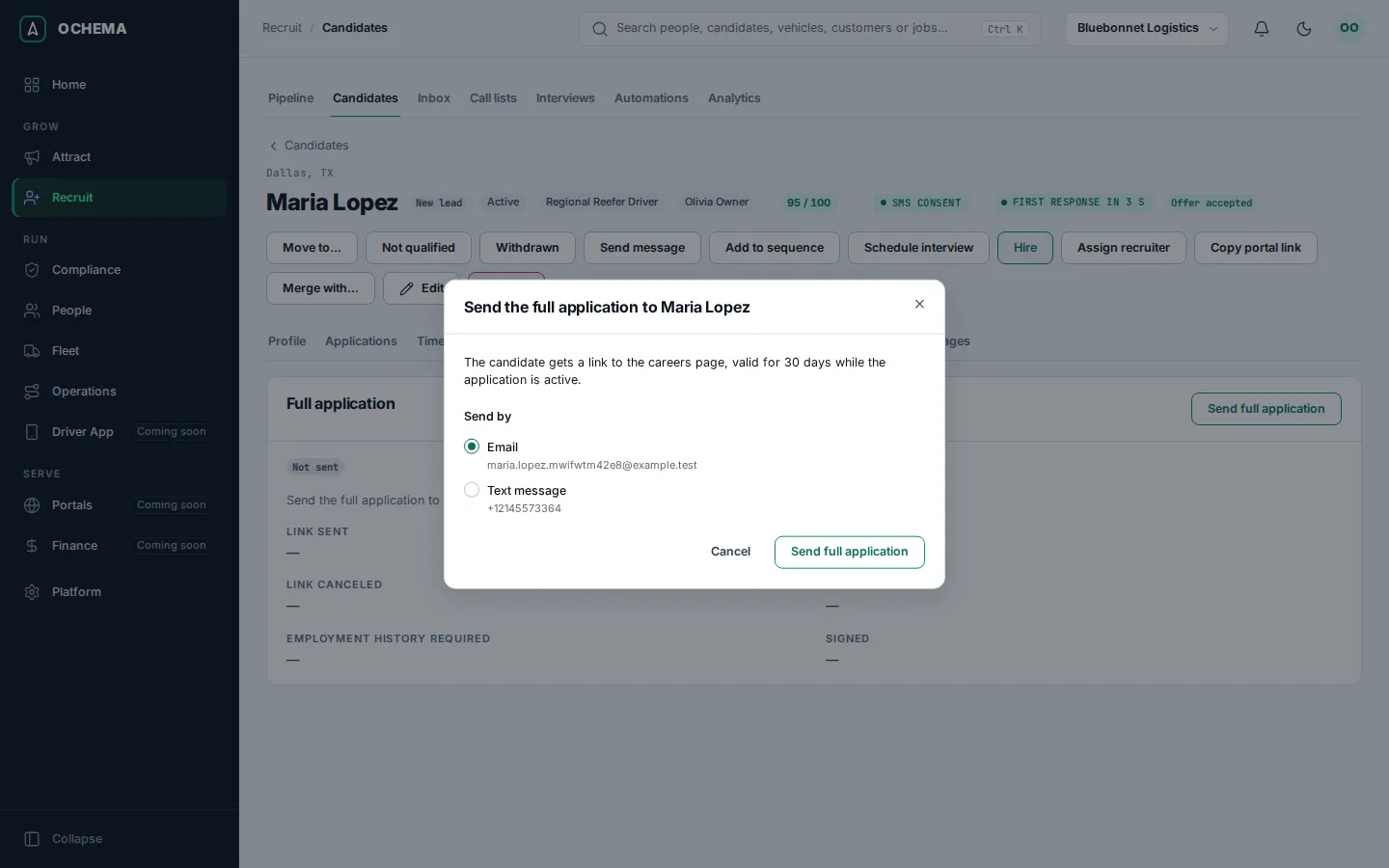
The tab follows the progress (Sent, In progress, Signed) and shows what the candidate filled in. Sensitive values are masked; Reveal shows one, and the audit log records that you saw it. Once signed, Download signed PDF gives the document with the proof of the signature, and Request changes opens it again for the candidate with your note. Resend makes a new link (the old one stops opening; what the candidate saved stays) and Cancel link makes the page say the link is no longer valid. Copy link, shown while the full application waits for the candidate (Sent, In progress or Changes requested, with the link not canceled), gives you the link to hand over yourself: select Copy link, then Create and copy link. It makes a new link too, valid for 30 days while the application is active, shown only once in Full application link; the link the candidate received before stops opening, and a message with the link that has not left yet replaces the copied one when it leaves. The tutorial goes through it in Send the full application.
Hire a candidate
Section titled “Hire a candidate”- Open the candidate page and select Hire. You can also select Hire on the Offer tab after the candidate accepts, or drop the card on the Hired column of the board.
- The window Hire and the candidate’s name opens. Check the data that goes to People > Directory as it is: name, email, phone, city, state, CDL class and endorsements.
- Choose the Person type: CDL driver, Non-CDL driver or Owner-operator. It is required.
- Check the Terminal and the Start date. They come from the accepted offer and the application when they tell them.
- If the candidate has no last name, type the Last name.
- Select Hire. The message says the candidate was hired and added to People > Directory.
Open the screenshot at full size in a new tab: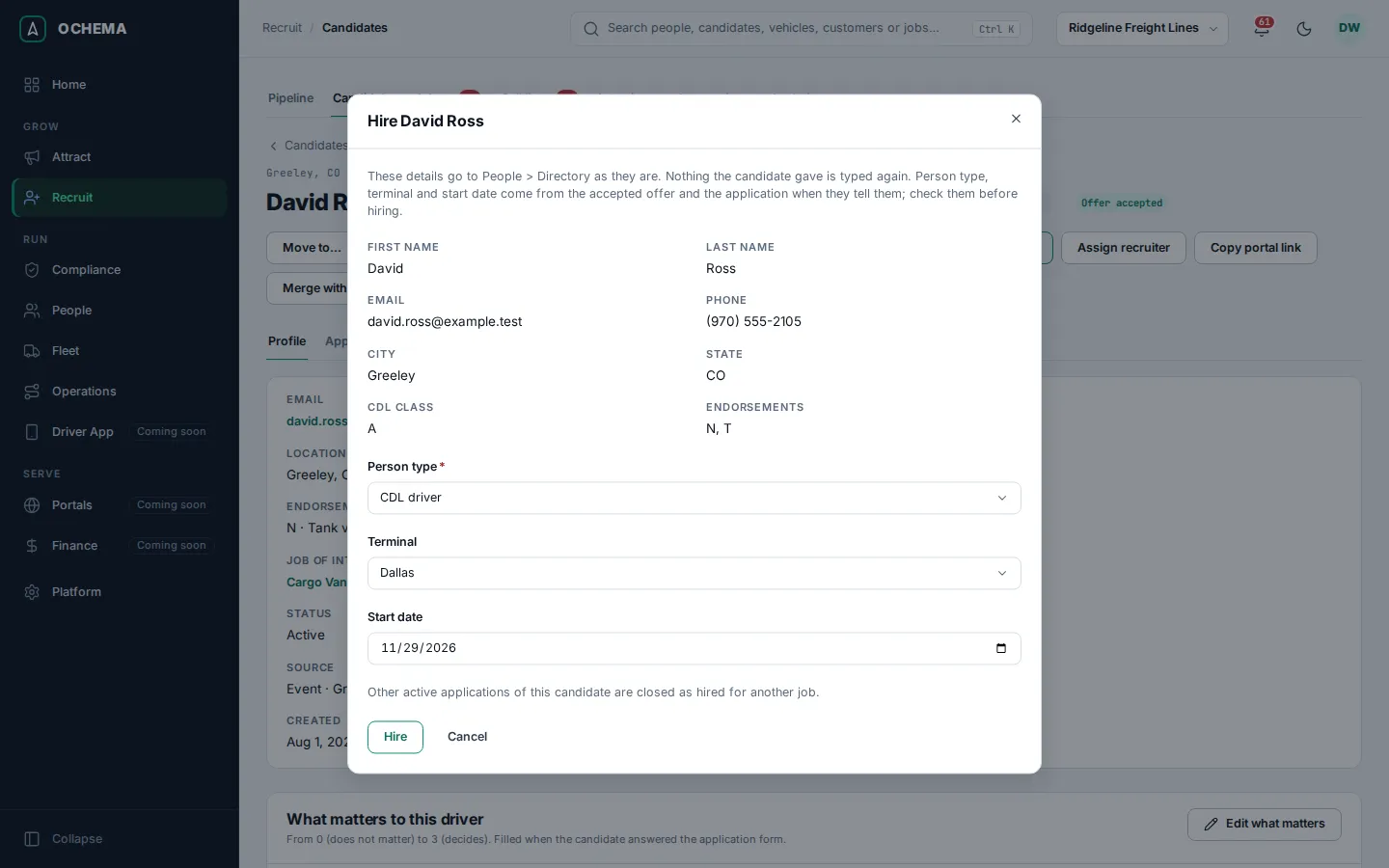
When a person with the same email or phone already exists in People > Directory, the window lists them with Same email, Same phone or Same email and phone: select Link to this person. A person is never duplicated. When the last offer was declined or withdrawn, the window warns you and asks you to confirm with Hire anyway.
What happens next
Section titled “What happens next”- The application moves to Hired, and the other active applications of the candidate are closed as hired for another job.
- The candidate page shows Hired: view person, which opens the person in People. From there, the driver file and onboarding continue in Compliance; see Driver files and Onboarding.
- The hire goes on the timeline and can start an automation rule with the trigger Hired.
- Undo hire is available for 7 days. The application returns to the stage it was in before. A person created by the hire is archived; a person that was only linked returns to how it was. Applications closed as hired for another job stay closed.
The tutorial hires a driver in Start the pre-hire screening and hire.