
Company details
Who this is for
Section titled “Who this is for”The owner, or a user whose role can change the company details.
Before you start
Section titled “Before you start”- The street address, city, state and ZIP code of your company.
- Your USDOT number, and your MC number if you have one. Both are issued by the FMCSA; type digits only.
- Whether your loads cross state lines, and whether your drivers hold a CDL.
- On Home, in the Getting started card, select Open company details. You can also open Platform in the menu on the left, then Company. The Edit company details page opens.
- Under Company, check the Company name and the Time zone. The time zone is the default one of the company.
- Under Address, fill in Street address, City, State and ZIP code. Suite, unit or building is optional. Leave every address field empty, or fill in all four: street, city, state and ZIP code.
- Under Operating authority, type the USDOT number (up to 8 digits) and, if you have one, the MC number (up to 8 digits, without the MC- prefix).
- Under Type of operation, choose Where you operate: Interstate (loads cross state lines) or Intrastate (every load stays within one state). Then choose Your drivers: With a CDL, Without a CDL or Both.
- Select Save changes. The message Company details saved. appears.
Open the screenshot at full size in a new tab: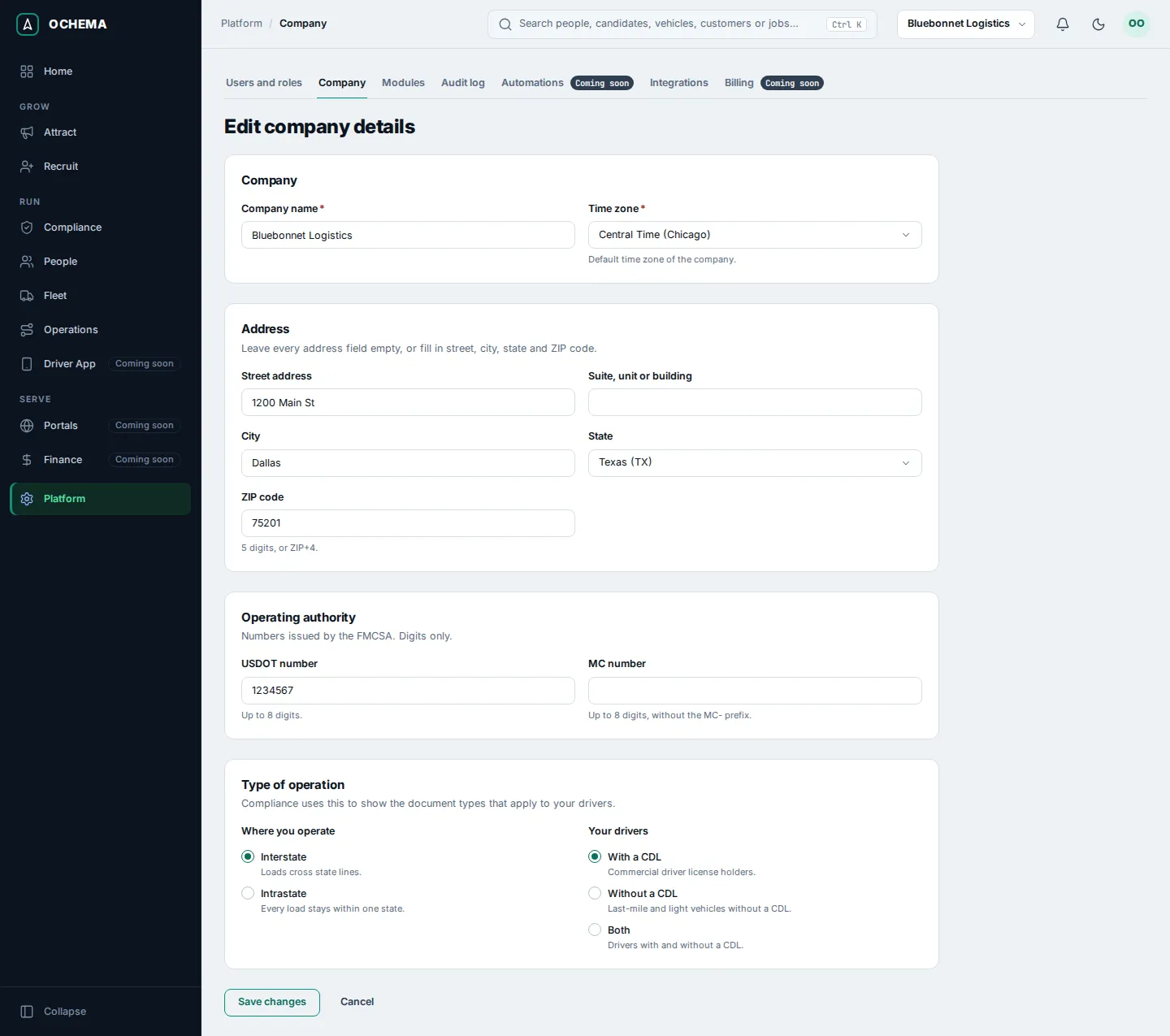
What happens next
Section titled “What happens next”The step Complete the company details shows Done on Home.
Type of operation decides which document types Compliance asks for in the file of each driver. For example, the counter Document types in use on Home changes after you save it.