
Safety history
Ochema sends one request by email to each previous employer regulated by the DOT in the 3 years before the application. The employer answers on a page of your careers site, without an account, and signs the answer. You follow each request for 30 days and log the attempts you make outside Ochema.
Who this is for
Section titled “Who this is for”Compliance managers and owners. To see the requests: View screenings (compliance.screenings.read; roles Owner, Admin and Read only). To request safety history, log attempts and cancel requests: Manage screenings (compliance.screenings.manage; roles Owner and Admin).
Before you start
Section titled “Before you start”- The driver signed the full application, with the authorization to contact previous employers. The request needs it: the employer reads that authorization. See Candidates.
- Your careers page is set up in Attract > Careers page: the previous employer signs the answer on it. See Your careers page.
- The email of each previous employer. It comes from the Contact email the driver gave in the full application; you can type or correct it in the request.
Request the safety history
Section titled “Request the safety history”- Open Compliance, then Screenings, and select Previous employers.
- Select Request safety history.
- Choose the Driver. You can search drivers and candidates by name.
- The dialog lists each previous employer the request applies to, checked, with the Employment informed by the driver and the Contact email of the employer. Employers that are not regulated by the DOT, or older than 3 years, get no request, and the dialog says how many.
- Check Ask the drug and alcohol questions only for an employer regulated by a DOT agency other than FMCSA. For FMCSA-regulated employers the Clearinghouse query takes the place of this request. The option needs the consent to release drug and alcohol information the candidate signs in the full application.
- Select Send 1 request (the button says how many requests go out).
Open the screenshot at full size in a new tab: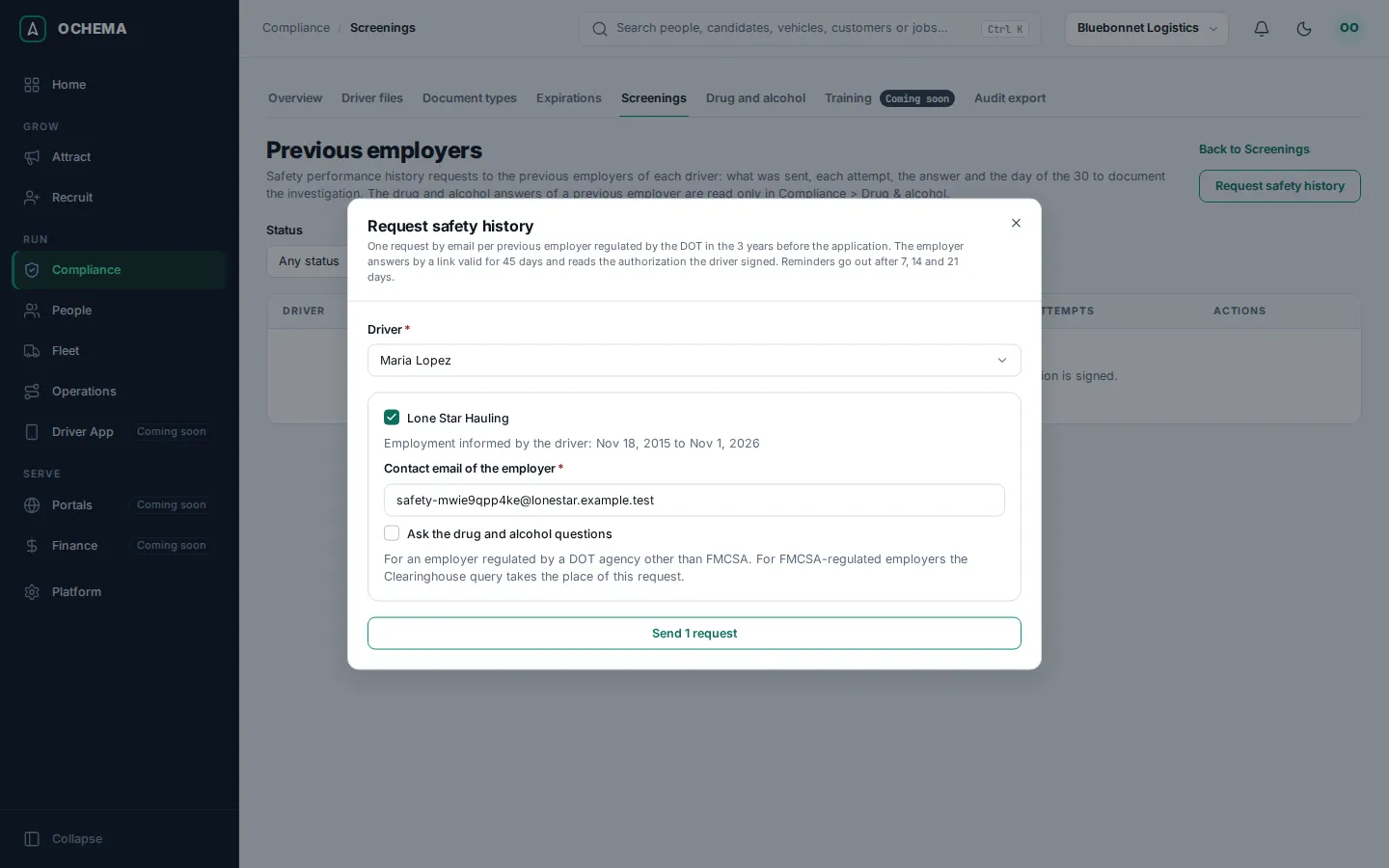
When the full application lists no DOT-regulated employer in the 3 years before it, the dialog says so and offers Record that there is no employer to ask, so the driver file shows that no investigation was possible.
Follow the requests
Section titled “Follow the requests”Previous employers lists each request with the Driver, the Previous employer and its email, the Status, the count of the 30 days, the Attempts and the Actions. Filter by Status.
- The status is Sent, Reminded, Answered, No record, No response or Canceled.
- 30 days shows the day of the count, for example Day 3 of 30, and the due date, counted From the hire or From the sending. Past it, the row says Overdue.
Open the screenshot at full size in a new tab: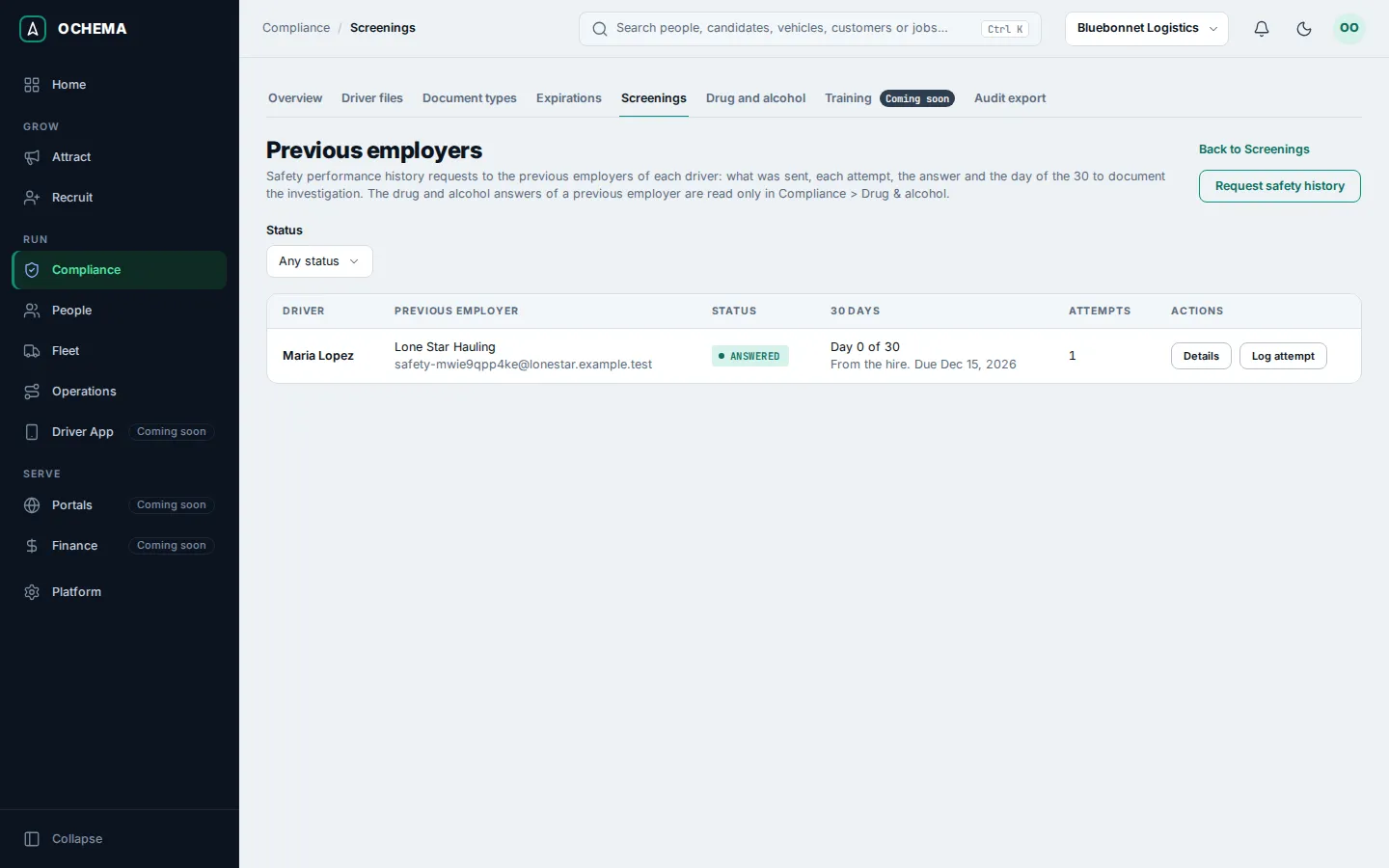
Select Details to see the attempts and the answer: the employment dates and position, whether there were accidents in the period, who answered, and, when the drug and alcohol section was asked, only that it was submitted. Those answers are read in Compliance > Drug and alcohol, by the people who can open that file.
Open the screenshot at full size in a new tab: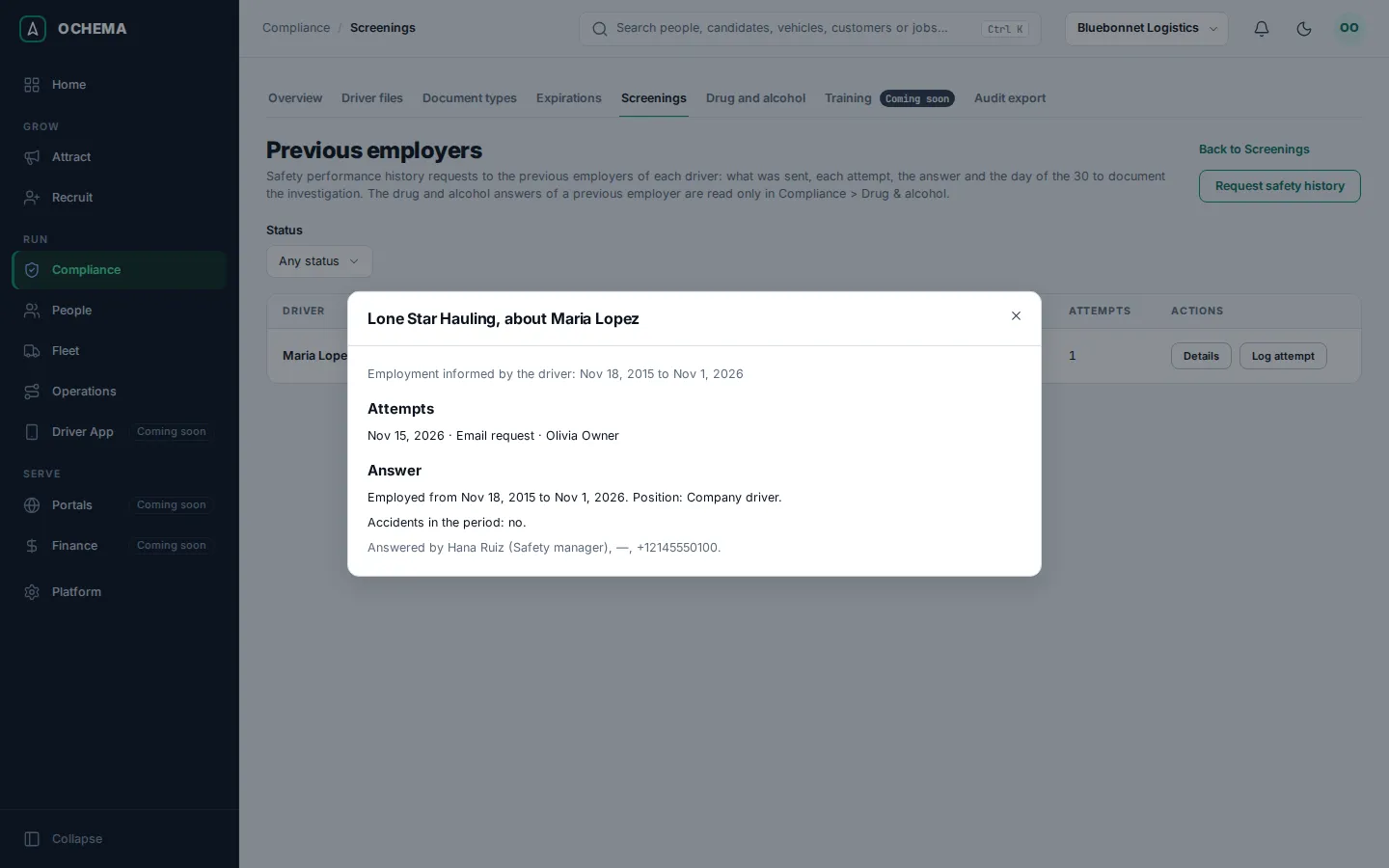
Log an attempt outside Ochema
Section titled “Log an attempt outside Ochema”When you call, fax or mail a previous employer, record it:
- On the row, select Log attempt.
- Choose How (Phone, Fax, Letter or Other), type the Date of the attempt and, optional, a Note.
- Select Log attempt.
Open the screenshot at full size in a new tab: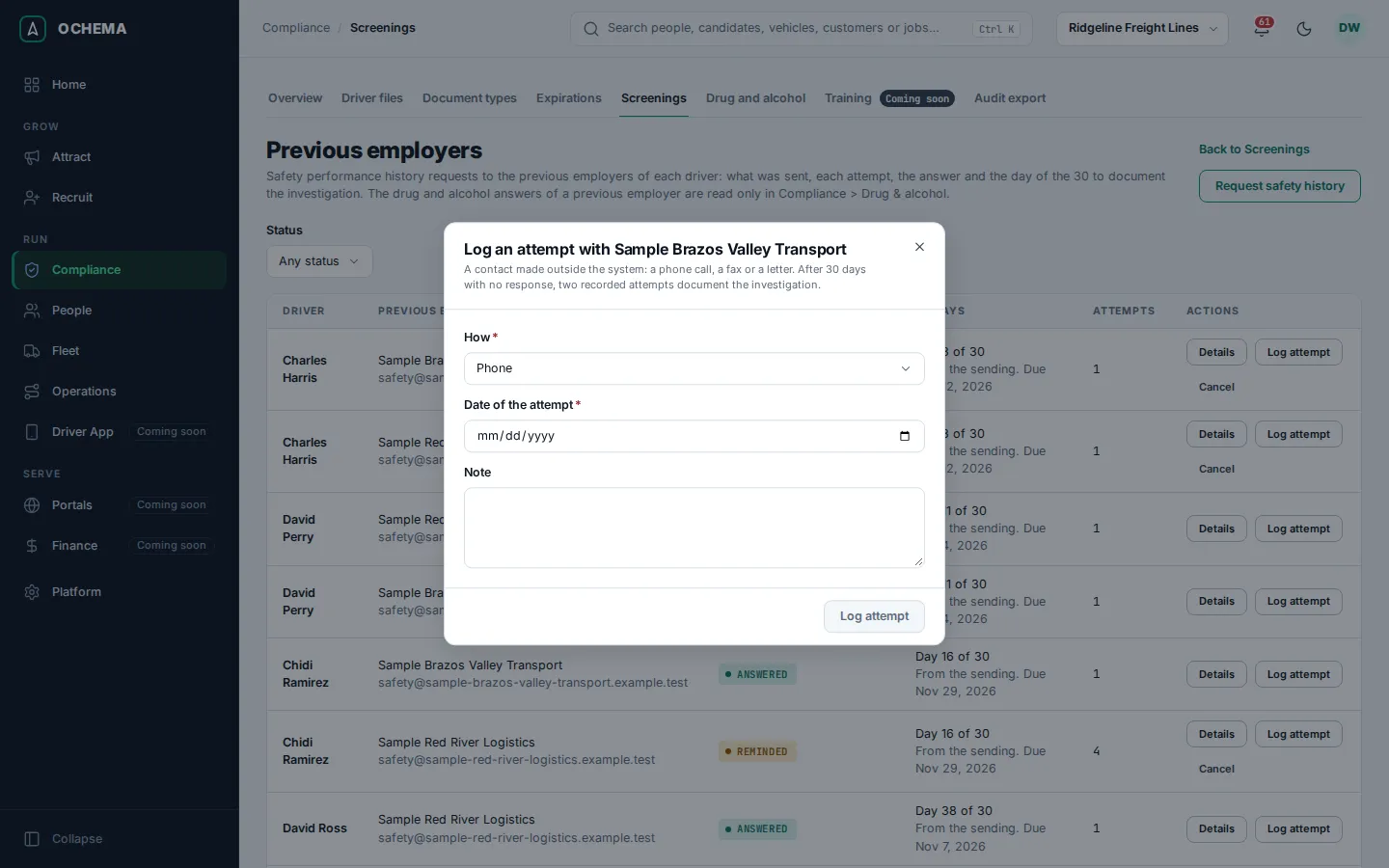
Cancel a request
Section titled “Cancel a request”Select Cancel on the row, then Cancel request. The link stops working and no reminder is sent. The request and its attempts stay on record. To correct the email of an employer, cancel and request again.
What happens next
Section titled “What happens next”- The employer gets an email with a link valid for 45 days. See What previous employers see.
- Without an answer, Ochema emails a reminder 7, 14 and 21 days after the sending. Each reminder is recorded as an attempt.
- When the 30 days pass without an answer, the request becomes No response. With two attempts recorded, the item Previous employer safety performance history (3 years) of the driver file is met, with No response documented; with one, it stays missing. An answer that arrives after No response still counts.
- An employer can also answer that it has no record of the person: the request becomes No record.