
What previous employers see
When you request the safety history of a driver (see Safety history), each previous employer gets an email from your company with a link. The link opens a page of your careers site where the employer answers and signs, without an account. This page describes that page, so you can tell an employer what to expect.
Who this is for
Section titled “Who this is for”The person who answers for the previous employer: a safety manager or someone in human resources. Nobody signs in: the link of the email is the only access.
On your side, sending the request needs Manage screenings (compliance.screenings.manage; roles Owner and Admin).
Before you start
Section titled “Before you start”- The employer needs the email with the subject Safety performance history request. The link is valid for 45 days, and only the most recent link of a request works.
- The answer is about the 3 years before the application of the driver.
- Open the link of the email. The page Safety performance history request shows who asks (Requested by and the name of your company), the Driver, the Previous employer and the Employment informed by the driver, followed by the text of the request.
- Optional: under Authorization signed by the driver, select Download the authorization to read the release the driver signed (a PDF).
- Under Your answer, choose We employed this person or We have no record of this person. “No record” is an answer too: the employer signs it below to send it.
- For We employed this person, fill in Employment: Employed from, Employed to (empty if the person still works there) and Position held.
- Under Accidents, answer Was this driver involved in any accident in the past three years? For Yes, add each accident with Add an accident: the Date, City, State (two letters), Injuries, Fatalities, Hazardous materials were released and What happened.
- When your request asked for it, the page also has Drug and alcohol testing, with five questions to answer Yes, No or Unknown. The page tells the employer not to send drug or alcohol test records. These answers go separately to your drug and alcohol file: they are not part of the signed document and are not shown again.
- Under Who answers, type Your name, Your title, the Company and the Phone. The driver may contact this person about a correction.
- Under Sign and send, read the certification and the consent to electronic records, check I agree to use electronic records and signatures, type the name in Type your full name to sign, and select Sign and send the answer.
Open the screenshot at full size in a new tab: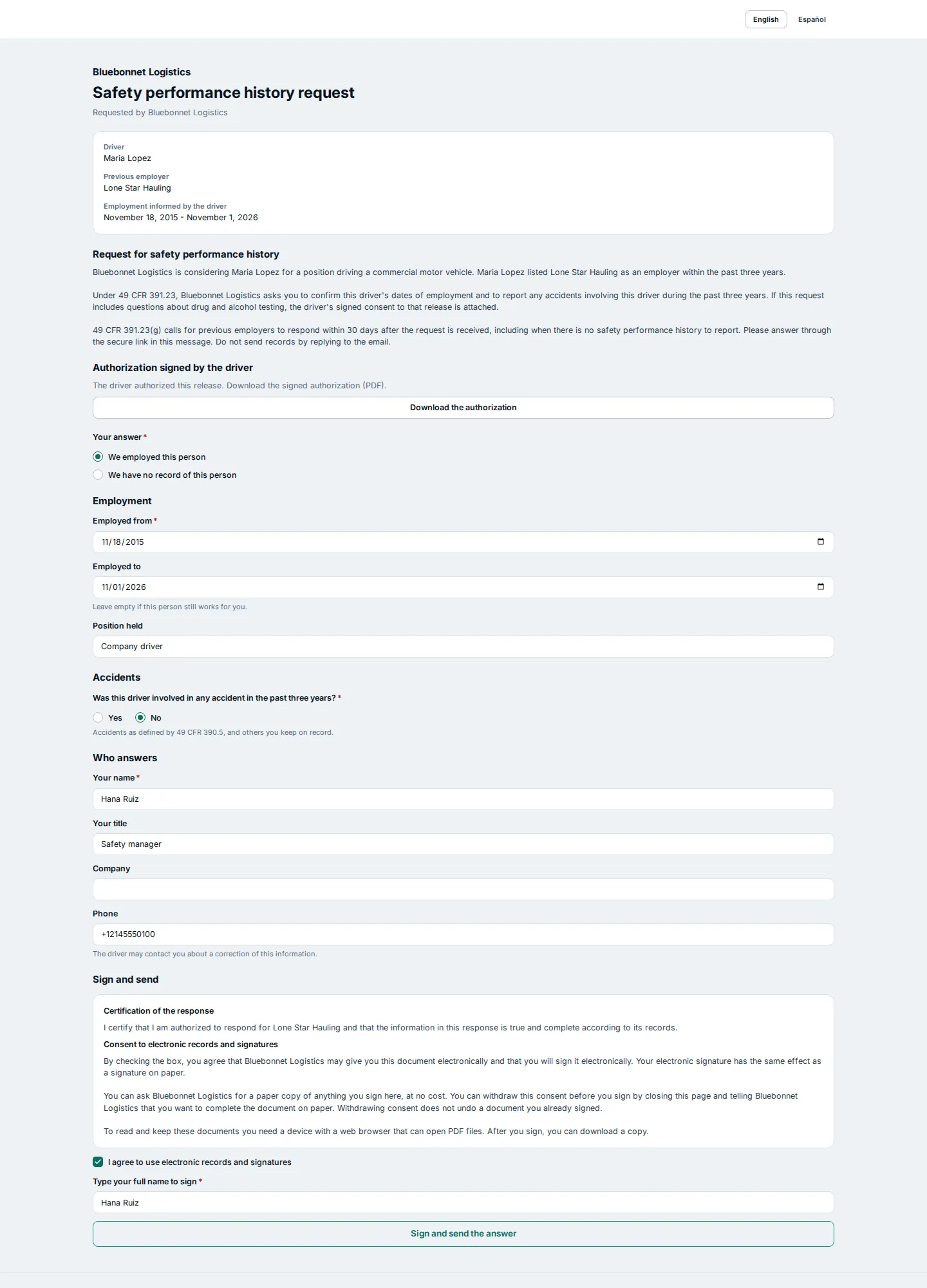
On a phone, the page is the same, in one column:
Open the screenshot at full size in a new tab:
- The page says Thank you. The answer was sent. The employer gets an email with a copy of the document signed.
Open the screenshot at full size in a new tab: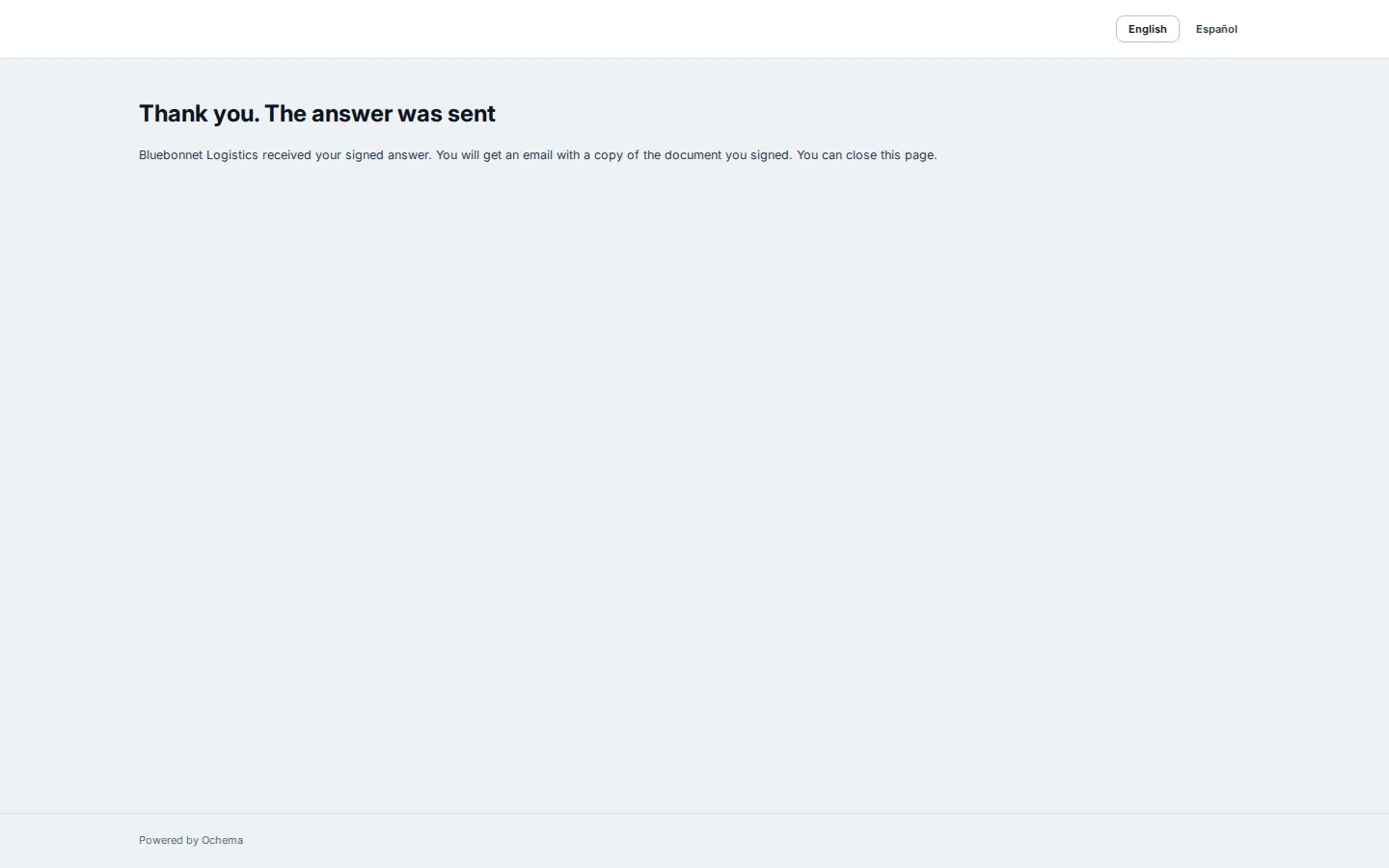
Open the screenshot at full size in a new tab: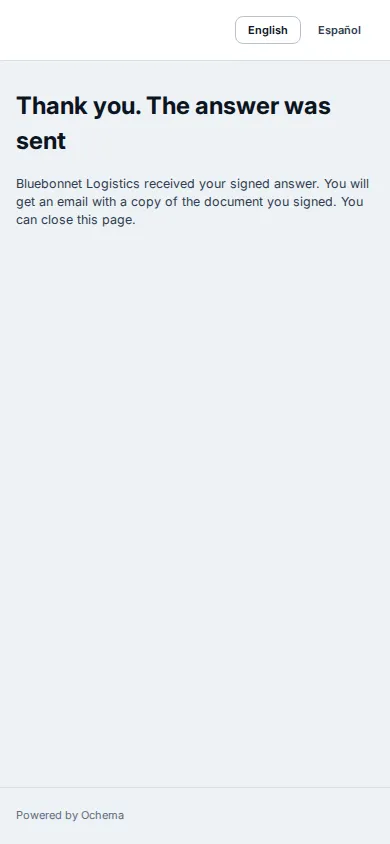
The page is also in Spanish: the employer chooses English or Español at the top. The request, the certification and the consent are always in English.
What happens next
Section titled “What happens next”- In your company, the request shows Answered (or No record) in Compliance > Screenings > Previous employers, and Details shows the answer. See Safety history.
- Without an answer, the employer gets a reminder 7, 14 and 21 days after the request.
- Once answered, the link no longer opens the form: it shows This link is no longer valid. The same happens when the link expired or was replaced by a newer one.